Guide · Updated
How to make photos look like film
Shoot it, don’t edit it.
A photo looks like film when it is made the way film makes a picture: one tone curve for the whole frame, with highlights that roll softly into white instead of clipping; color made of dye, so saturated colors come out darker and fade to neutral toward white; fine grain, strongest in the light midtones and gone in pure white; a faint red glow round bright lights, called halation; and the paper or scanner that prints it.
You can get close in an editor, best from a RAW file. It looks more natural when the look is applied as you shoot, to a frame your phone has not already tone mapped, denoised and sharpened, and when you see it in the viewfinder before you press. Shooting real film is the only way to get it exactly.
01 · Film versus phone
What is the film look?
Film builds a picture. Light exposes silver halide crystals in three color layers; development turns the exposed ones into clouds of dye; a print or a scanner reads the dye through one curve for the whole frame. Each step leaves its mark, and together they are the film look. A phone camera works the other way round: it measures the light, then finishes a picture area by area.
| Quality | Film | A phone photo |
|---|---|---|
| Tone | One curve for the whole frame | Tone mapped area by area: shadows lifted, skies held down |
| Highlights | Roll softly into white; a negative almost never clips | Clip channel by channel: a pink cloud near the sun turns yellow |
| Color | Dye: a saturated color is darker, and colors fade to neutral into white | Saturation added on top: strong colors only get brighter |
| Texture | Grain, the picture’s own structure | Noise smoothed into watercolor, then sharpened |
| Bright lights | A faint red halo (halation) | A clean edge, or a sharpening halo |
02 · Tone
One curve, and highlights that never clip
A color negative has a lot of room. On Kodak’s datasheet for Portra 400, the toe ends about 3½ stops under a normal exposure and the straight line runs on with no shoulder to at least 6½ stops over. The print paper then bends the brightest part gently into white. That slow roll-off, on a negative that never clipped, is film’s highlight look.
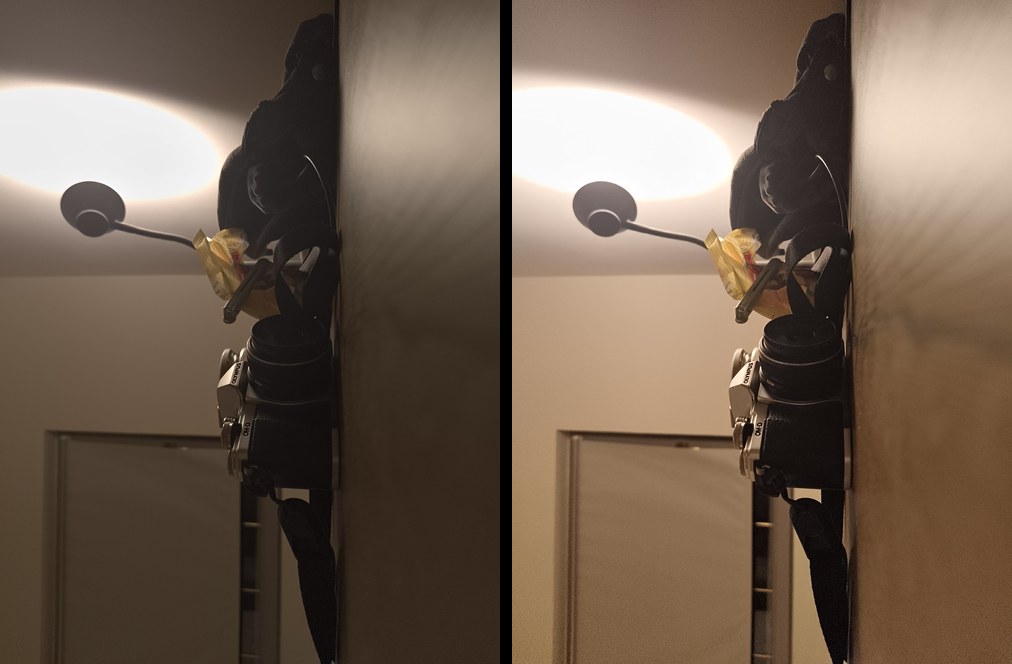
A phone does it differently. Google’s HDR+ paper describes underexposing, merging frames and tone mapping area by area, and warns that “excessive range compression and saturation produces a flat ‘cartoony’ rendition”. On the phone Clack is tested on, the JPEG lifted sunlit walls by up to about a stop beyond its own overall curve.
03 · Color
Color is dye, not saturation
Film makes color by taking light away. More dye makes a more saturated color and also a darker one: cinematographer Steve Yedlin’s film emulation turned a “garish red” darker and yellower at the same saturation. Digital saturation only adds, so strong colors get brighter. All three dyes meet at the paper’s white and at black, so colors fade toward neutral at both ends, and neon colors lie outside what the dyes can make.
Each film adds its own leaning on top. In Clack’s model of Portra 400 printed on Portra Endura paper, yellows go golden, foliage olive and blues toward teal.
04 · Grain
Film grain: what makes it look real
Grain is not noise laid over the picture. Each speck is a developed crystal, or the dye cloud that formed round one: a spread of sizes, at random, clumped, with no grid. A study of grain rendering found uncorrelated grain “clearly unrealistic” and clumping “an essential visual feature” (Newson et al., 2017).
- Size
- Measured color-negative grain is about 6.5 µm (one dye cloud) and 15 µm (a cluster). On a 35 mm frame drawn 4,080 pixels wide that is under a pixel: at full size, 35 mm grain is a fine texture, not visible specks.
- Strength
- Strongest in the light midtones; the print squeezes it out into white.
- Coarseness
- Coarser in the shadows, which only the film’s fastest, largest crystals recorded.
- Color
- Barely any. Each dye layer grains on its own, blue the coarsest, which shows as a faint yellow-blue mottle, never as pixel-sized color speckle. That speckle is sensor noise.
- Speed
- Underexposure and push processing bring more grain (Kodak’s Tri-X datasheet), and faster films are grainier (the table below).
How much grain shows depends on the film and the enlargement. Kodak’s Print Grain Index puts 25 at the threshold of visibility, and 4 points is a just-noticeable difference:
| 35 mm film | 4 × 6 in print | 8 × 10 in print |
|---|---|---|
| Kodak Ektar 100 | under 25 | 38 |
| Kodak Portra 400 | 37 | 59 |
| Kodak Gold 200 | 44 | 64 |
| Kodak UltraMax 400 | 46 | – |
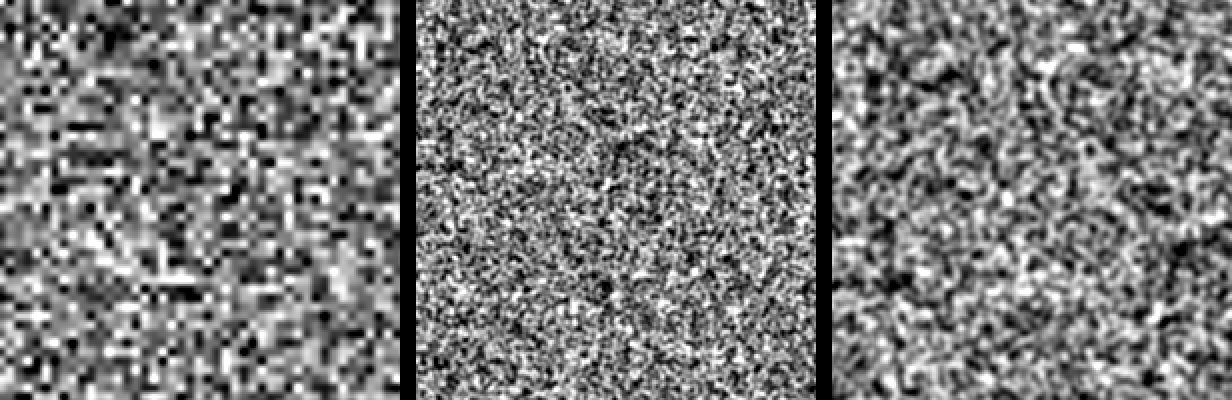
What gives fake grain away: a grid, one grain size, the same strength everywhere, colored per-pixel speckle, and in video, grain frozen while the picture moves.
05 · Halation
Halation: the red glow round lights
Light goes through the film, reflects off the back and comes back into the bottom, red-sensitive layer: a red halo round bright lights, orange right beside a strong one, where it reaches the green layer too. The anti-halation backing is not perfectly black, so every color film has a faint halo, seen mostly against dark. CineStill 800T is Kodak’s Vision3 500T cinema film with that backing removed, hence its strong red rims round street lights.
06 · The print
The print, or the scan
The last step sets the look as much as the film. A print paper fixes contrast and saturation together: Kodak ranks its Endura papers Portra (lowest contrast, moderate saturation), then Supra, then Ultra. A black and white print is made on a paper grade, from 0 (soft) to 5 (hard). A slide has no print at all: the film is the picture.
Many film photos online are negatives scanned at a lab: softer contrast, open shadows, pastel color. That is where “overexposed Portra looks pastel” comes from. Portra 400’s curve has no shoulder for six stops, so in Clack’s model of it a frame rated at 200 and printed back comes out almost the same as at 400, with finer grain.
07 · Phone cameras
Why phone photos don’t look like film
A phone camera finishes the picture for you. It merges frames, tone maps area by area, removes noise, sharpens, adds an S-curve and shifts skies and foliage by hue (all named in the HDR+ paper). What is left is smooth, and has no texture of its own for a film look to build on.
08 · Editing
How to edit photos to look like film
In Lightroom or any editor with a tone curve and color controls, in the order film itself works:
- Start from RAW. A RAW file (DNG) holds the sensor’s data before the phone’s tone mapping, noise reduction and sharpening. Edit a JPEG and all three stay in the picture.
- Keep the tone global. One curve for the whole frame. Go easy on the tools that lift shadows or hold back skies area by area (in Lightroom: Shadows, Clarity, Dehaze, masks).
- Shape the curve like film. A toe that lets the blacks go deep without crushing them, a steady middle, and highlights that bend into white over the last stop or two instead of clipping.
- Make color behave like dye. Rather than raising saturation, darken the strongest colors (luminance down on those hues) and let colors fade toward neutral in the brightest parts.
- Add fine grain. Sized for the full image, strongest in the light midtones, none in pure white, and colorless or nearly so. Check it at 100 %: no grid, no blotches.
- Add halation, if you want it. A faint red-orange glow round bright lights against dark. Make it strong only for a CineStill look.
- Soften the sharpening. Film’s edge boost is broad and gentle. A one-pixel halo reads as digital.
- Keep one look for a set. A roll has one film, so a set of photos in one look reads as a roll.
Where editing falls short
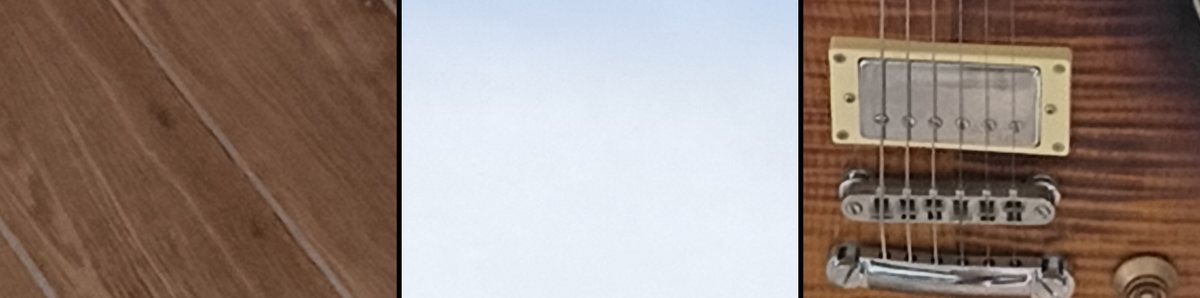
From a phone JPEG, the phone’s processing stays in the picture: no edit puts back the texture noise reduction took away. You see the look only afterwards, so you cannot expose or frame for it. And it is work for every photo.
09 · Shooting
Why shoot the look instead
Choosing the look before you press changes how you shoot. You see where the highlights roll off and where the shadows go, and expose for that, as you would on a roll of film. And a camera app can ask the phone for a flat frame before the phone finishes it, which an editor only gets from RAW.
| Step | Edit a phone JPEG | Edit a RAW | Shoot it in Clack |
|---|---|---|---|
| You start from | A finished picture: tone mapped, denoised, sharpened | The sensor’s data | A flat frame: no tone mapping, no phone sharpening or noise reduction on the still* |
| You see the look | Afterwards | Afterwards | In the finder, before you press |
| Color comes from | Your sliders | Your sliders | The film’s dye layers, modeled on its datasheet |
| Grain and halation | Added to the finished picture | Added in the editor | Inside the film model, before the film’s curve |
| Time per photo | Minutes | Minutes | None: the JPEG is done when it is saved |
| Change it later | Yes | Yes | Not the JPEG; the DNG, if you save RAW |
* On Android phones whose camera accepts a tone curve of its own. On others, Clack’s films run on the phone’s own frame.
10 · Clack
How Clack does it
Clack is a film camera app for Android and iPhone. You pick a film and shoot; the finder shows the film live, and the saved JPEG has the same look.
- Four films, from their data
- Kodak Portra 400, Fujifilm Superia X-TRA 400, Kodak Kodachrome 64 and Kodak Tri-X 400, each modeled on the film’s published curves and dyes. Portra prints on Kodak’s Endura papers, Superia on Fujifilm Crystal Archive, Tri-X on a paper grade; Kodachrome is a slide.
- A flat frame first
- On Android, where the phone’s camera accepts a tone curve of its own, Clack asks for a straight one, which also turns off the phone’s area-by-area tone mapping and color enhancement, and film stills ask for no sharpening and no noise reduction. The film’s curve does the tone.
- In film’s order
- Halation and grain go in before the film’s curve, which shapes them as a print does. Grain is sized like 35 mm film’s on a 12 MP still and grows with the ISO the light needed, as film shot in a dim room and pushed.
- A lab slip
- Rate the film over or under, put a filter on the lens, push or pull it in development, choose the paper, print lighter or darker, or take the anti-halation layer off.
- One exposure
- No frame merging, no scene AI, no face retouching. A DNG beside each JPEG if your phone writes RAW.
Android · iPhoneComing soon to Google Play and the App Store. More about Clack
Questions
- Is film grain the same as digital noise?
- No. Noise is a measuring error laid over the picture: per pixel, on the sensor’s grid, colored, and worst in the shadows, which the phone then smears with noise reduction and sharpens. Grain is what a film picture is made of: no grid, a spread of sizes, shaped by the film’s curve, nearly colorless, and it keeps smooth gradients from banding.
- What is halation?
- A glow round bright lights. Light goes through the film, reflects off the back and comes back into the red-sensitive layer, so the halo is red, orange right beside a strong light. Every color film has a faint one; CineStill 800T, a cinema film with its anti-halation backing removed, has a strong one.
- Can a filter make a photo look like film?
- It can get the colors close. A filter works on a finished photo, so the phone’s tone mapping, noise reduction and sharpening stay underneath it, and those are what make a phone photo look digital.
- Do I need RAW for a film look?
- To edit, RAW is the better start: it is the sensor’s data before the phone processes it. A film camera app that applies the look as you shoot does not need you to keep one, though Clack can save a DNG beside each JPEG.
- Why does overexposed Portra look pastel online?
- Mostly because it is a scan. Many film photos online are negatives scanned at a lab, with softer contrast, open shadows and pastel color. Portra 400’s curve has no shoulder for six stops over, so an optical print balanced back to normal comes out close to a normal exposure, with finer grain.
Sources
- Kodak Portra 400 datasheet (E-4050)
- Kodak Tri-X datasheet (F-4017)
- Kodak Print Grain Index (E-58)
- Kodak Endura papers compared (E-2446)
- Newson et al., realistic film grain rendering (IPOL 2017)
- Stephenson and Saunders, grain spectra (2007)
- Steve Yedlin, two kinds of saturation
- Dehancer on halation
- Hasinoff et al., HDR+ (2016)
- spektrafilm, digitized film data (CC BY-SA 4.0)
Clack’s own measurements were made on a CMF Phone 2 Pro in October 2026. Pixel sizes for grain are our arithmetic from the measured figures.